Wireless Drive0.2.9.7
Publisher Description
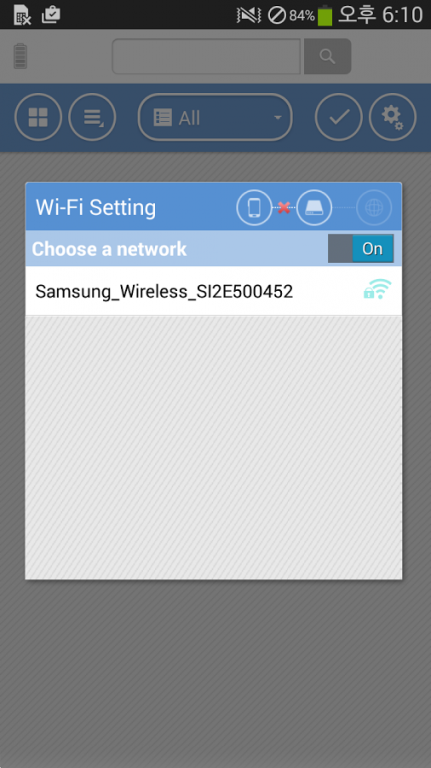
The Wireless Drive for Samsung Wireless app gives you easy access to all the photos, videos, music, and documents stored on the Samsung Wireless device. You connect to the Samsung Wireless device by simply turning on your device and choosing the “Samsung Wireless” network from your device’s Wi-Fi settings. The app will initially launch showing all the Videos that are stored on your device. Choose from Videos, Photos, or Music or navigate your media library on the Samsung Wireless or your mobile device with a traditional file/folder view.
The Samsung Wireless drives create their own WI-FI network, so your mobile device can connect directly and stream media without an Internet connection. Videos stream and play using the default media player built into the app. With the option to open files with other apps installed on your mobile device, you can play/view content that isn’t supported by the default media player. The Wireless Drive app enables you to upload photos, videos and other files from your mobile device to your Samsung Wireless device in full resolution and quality or for offloading files to free up space on your mobile device.
Access your media and the Internet at the same time. The Samsung Wireless device can connect to a nearby Wi-Fi network, such as a coffee shop hotspot or your home router and pass through the Internet connection to your mobile device.
This app requires a Samsung Wireless mobile media streaming device.
The application can organize up to 750 videos or up to 100,000 photos or up to 75,000 songs or lesser numbers of each type in combination.
About Wireless Drive
The company that develops Wireless Drive is Seagate Technology LLC. The latest version released by its developer is 0.2.9.7.
To install Wireless Drive on your Android device, just click the green Continue To App button above to start the installation process. The app is listed on our website since 2015-12-22 and was downloaded 16 times. We have already checked if the download link is safe, however for your own protection we recommend that you scan the downloaded app with your antivirus. Your antivirus may detect the Wireless Drive as malware as malware if the download link to com.seagate.samsungwireless is broken.
How to install Wireless Drive on your Android device:
- Click on the Continue To App button on our website. This will redirect you to Google Play.
- Once the Wireless Drive is shown in the Google Play listing of your Android device, you can start its download and installation. Tap on the Install button located below the search bar and to the right of the app icon.
- A pop-up window with the permissions required by Wireless Drive will be shown. Click on Accept to continue the process.
- Wireless Drive will be downloaded onto your device, displaying a progress. Once the download completes, the installation will start and you'll get a notification after the installation is finished.
Program Details
System requirements
Download information
Pricing
Version History
version 0.2.9.7
posted on 2015-12-22
Name changed from "Samsung Wireless" to "Wireless Drive".
